


WordPress ships with six user roles and no way to change what any of them can do. The moment you need a client who can edit pages but not touch plugins, or a shop manager who can see orders but not settings, you're shopping for a user role editor plugin. There are dozens - five are worth your time.
This is an honest roundup. We build one of these plugins (RoleMaster Suite, a free community contribution from the Adminify team), and we'll tell you plainly where each tool wins, including where the alternatives beat ours. There's also a code section at the end for editing roles with no plugin at all, because sometimes that's the right answer.
The 60-second verdict
- Best free all-round role manager: RoleMaster Suite. Create, clone, rename, and edit roles with a modern UI, 100% free, no Pro tier holding features back.
- Best for deep capability surgery: User Role Editor. Every capability as a checkbox, per role and per user.
- Best for capability safety: PublishPress Capabilities. Backup/restore of role settings before you break something.
- Best for content restriction: Members. Role editing plus block-content-by-role in one plugin.
- Best lightweight cloner: WPFront User Role Editor. Clean UI, easy clone-and-trim workflow.
Comparison at a glance
| Plugin | Price | Capability granularity | Multisite | Role cloning | UI quality |
|---|---|---|---|---|---|
| RoleMaster Suite | 100% free | Role create/rename/clone/delete + capability editing | Yes | Yes | Modern |
| User Role Editor | Free / Pro $29+ | Every capability, per role and per user | Yes (Pro for network-wide) | Yes | Dated but functional |
| PublishPress Capabilities | Free / Pro $69+ | Every capability + editor feature restrictions | Yes | Yes | Modern |
| Members | Free (MemberPress upsell) | Every capability + content permissions | Basic | Yes | Clean, simple |
| WPFront User Role Editor | Free / Pro $89+ | Full capability list, less per-user control | Pro | Yes | Clean |
1. RoleMaster Suite (100% free)
RoleMaster Suite is a standalone user role editor on WordPress.org, built and maintained by the Adminify team as a free contribution to the community. Every feature ships in the free plugin; there's no Pro tier holding the useful parts hostage. It creates roles from scratch, clones existing ones, edits their capabilities, renames display names, and deletes custom roles, all from one settings screen. Version 1.1.3 is tested up to the current WordPress release.
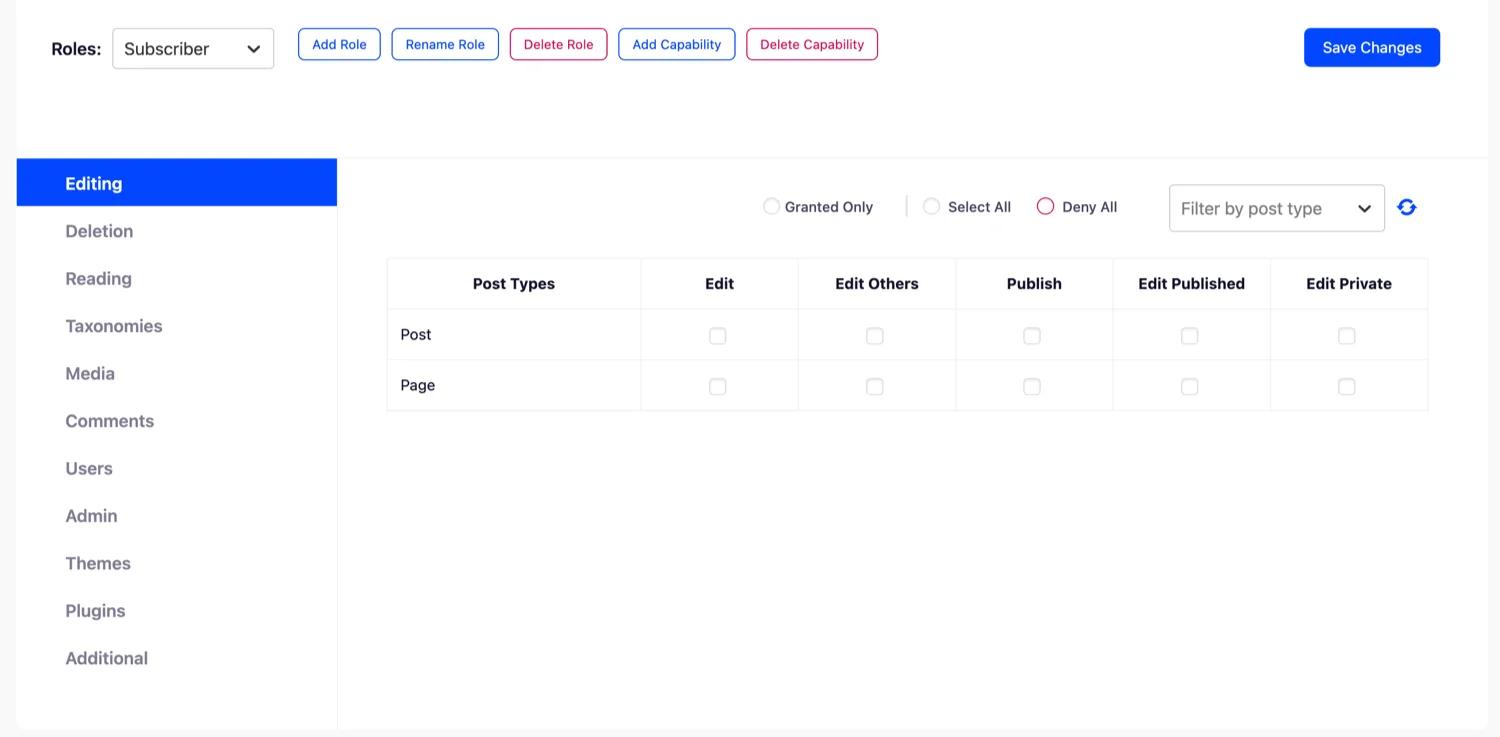
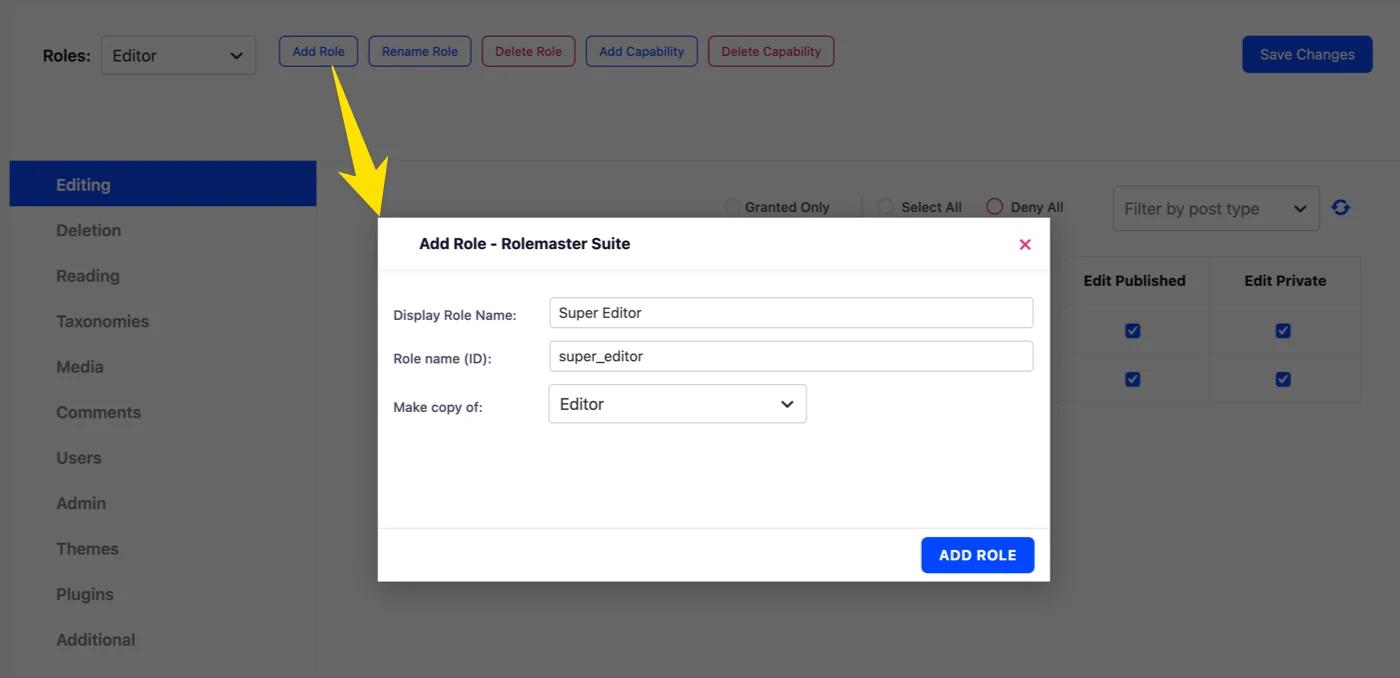
The workflow it optimizes is the one agencies actually run: clone Editor, strip what the client shouldn't touch, name it "Client", assign it. Creating a custom role is a form, not a capability slug hunt:
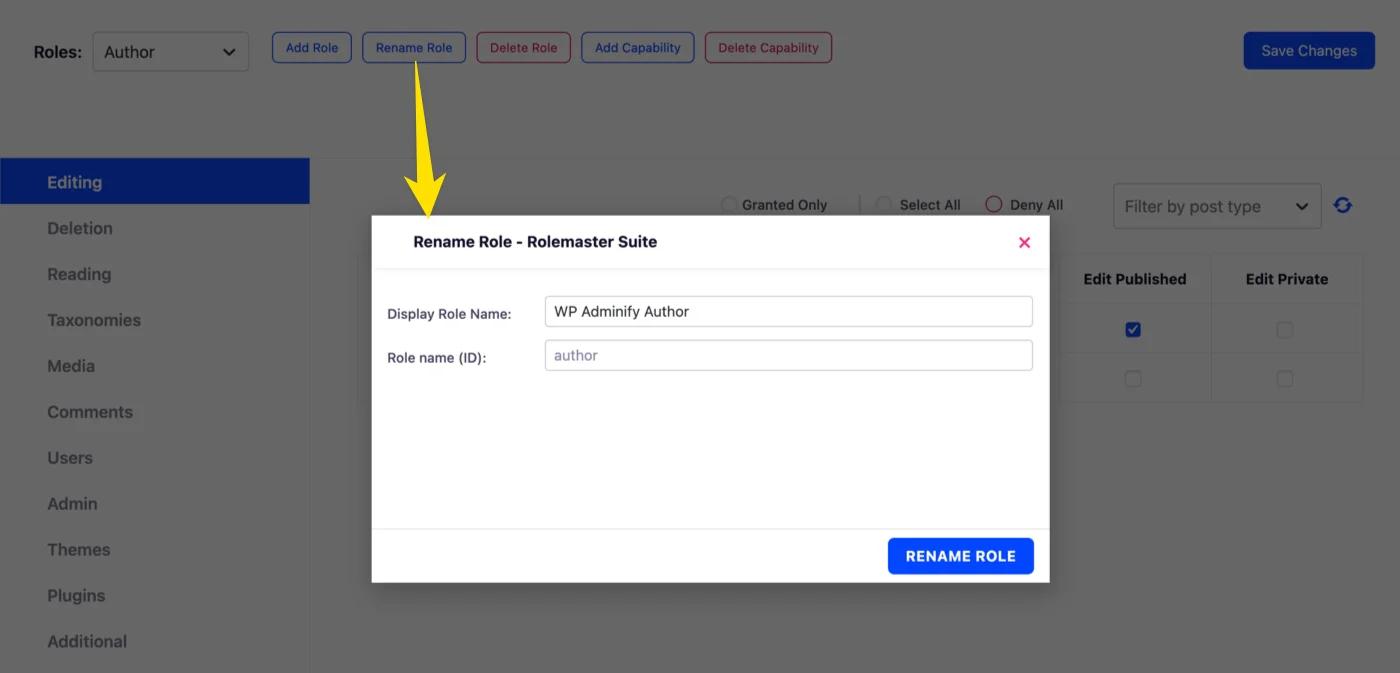
Renaming is the underrated feature. Clients don't know what a "Contributor" is, but they understand "Content Writer" - RoleMaster renames any role's display name without touching the slug, so nothing that checks roles programmatically breaks.
It also runs as an addon inside WP Adminify, and that combination is the real pitch for client work. Defining a "Client" role is step one; the next four steps are hiding admin menus from that role, trimming its admin bar, giving it a custom dashboard, and redirecting it somewhere sensible after login. With most role plugins, each of those means another plugin. With RoleMaster + Adminify, role editing sits next to per-role admin bar control, plugin hiding, and the client dashboard setup in one place. Standalone if roles are all you need, integrated when they aren't.
Where it doesn't compete, honestly: per-user capability grants and per-post-type permission matrices. If you need to give one specific user one specific capability, the next plugin on this list does that better.
2. User Role Editor
User Role Editor (700,000+ active installs) is what most WordPress developers mean when they say "the role editor plugin." It lists every registered capability, core ones plus everything your plugins have added, as a grid of checkboxes per role. Tick, untick, update, done.

The per-user mode deserves a mention because nothing else free does it as directly: open a user's profile and grant capabilities to that one person without creating a whole role for them. One trusted author who should also manage categories doesn't need an "Author Plus" role. Two checkboxes on their profile and done.
The trade-off is the experience. The interface hasn't meaningfully changed in a decade, capability names show as raw slugs (edit_others_posts), and there's no undo - untick the wrong box on Administrator and you can lock yourself out of your own settings pages. It's a scalpel: precise, sharp, no guard. Multisite network-wide updates and per-post-type capabilities sit in the Pro version from $29.
3. PublishPress Capabilities
PublishPress Capabilities covers the same ground with two additions that matter in practice. First, it backs up role settings before every change and restores them in one click, which is the safety net User Role Editor lacks. Second, it goes beyond capabilities into editor features: hide specific Gutenberg panels, metaboxes, or admin columns per role. Agencies use that to stop clients from finding the "delete" button in the first place.
The free version handles roles, cloning, and backups. Pro (from $69/year) adds per-post-type permissions, admin menu restrictions, and WooCommerce-specific controls. If you edit capabilities regularly and fear the lockout scenario, the backup feature alone justifies picking this over User Role Editor.
4. Members
Members (still 100,000+ installs under MemberPress stewardship) takes a different angle: role editing plus content permissions. You get a capability editor comparable to the others, but also the ability to restrict posts, pages, and widgets to specific roles, show teaser content to everyone else, and even make the whole site private. Multiple roles per user is a genuinely useful extra the others mostly skip.
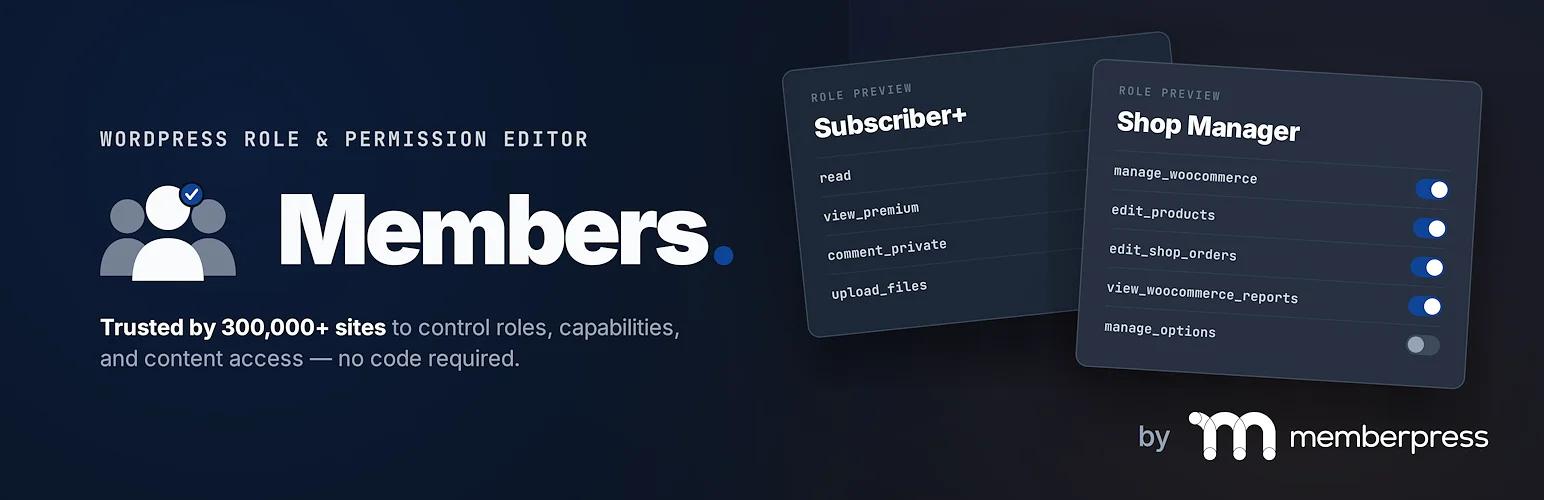
Pick Members when your real problem is "who can see what" rather than "who can do what": an intranet where each department sees its own pages, or a course site with member-only lessons. Fair warning: development energy has shifted toward the MemberPress upsell, so the free plugin gets maintenance updates more than new features.
5. WPFront User Role Editor
WPFront User Role Editor is the lightweight pick: a clean roles list, painless clone-and-modify workflow, and a capability editor that groups permissions readably instead of dumping raw slugs.

It also handles a couple of practical extras: assigning multiple roles to one user from the role screen, and a migration tool for moving users between roles in bulk. Handy when you've just created that Client role and need to move nine existing users onto it.
The free version stops at the basics: no per-user capabilities, and multisite support plus login redirects live in Pro (from $89/year, which is steep next to User Role Editor's $29). Decent free tier, but the paywall arrives earlier than on the other free options here.
How to edit roles without any plugin
WordPress's roles API is four functions. Roles live in the database (the wp_options table, under wp_user_roles), so code like this runs once, on plugin/theme activation or behind a version check, not on every page load:
// Create a new role with chosen capabilities
add_role( 'client', 'Client', array(
    'read'         => true,
    'edit_posts'   => true,
    'edit_pages'   => true,
    'upload_files' => true,
) );

// Add or remove a capability on an existing role
$editor = get_role( 'editor' );
$editor->add_cap( 'manage_categories' );
$editor->remove_cap( 'delete_others_posts' );

// Remove a role entirely
remove_role( 'client' );
Because changes persist in the database, they survive removing the code. That surprises people in both directions: your custom role stays after you delete the snippet, and a capability you removed stays removed until you explicitly add it back. The full capability list is in the WordPress roles and capabilities documentation, and the add_role() reference covers the API details.
When is code the right call? A theme or plugin you distribute, a role that's part of versioned site config, or a one-off tweak you don't want a permanent plugin for. For anything you'll revisit through a UI, use a plugin. Hand-maintaining capability arrays gets old fast.
And the "when you don't need one" answer from the title: if your actual requirement is just "this person shouldn't see the messy parts of wp-admin," you may not need to touch capabilities at all. Assign a stock role and hide the clutter instead: menu items, admin bar entries, dashboard widgets. Capabilities control what a user can do; plenty of client problems are really about what they can see, and that's an interface job, not a permissions job.
Which one should you pick?
- Free, modern, covers the common role operations: RoleMaster Suite. It grows into the full client-site setup if you later add WP Adminify.
- Deep capability surgery, per-user grants: User Role Editor, or PublishPress Capabilities if you want the backup safety net.
- Restricting content visibility by role: Members.
- Quick clone-and-trim with bulk user migration: WPFront's free version.
- Distributable code or versioned config: no plugin; use the capability API above.
Frequently Asked Questions
What are the default WordPress roles?
Six: Super Admin (multisite only), Administrator, Editor, Author, Contributor, and Subscriber. Administrator can do everything on a single site; each step down removes capabilities, ending with Subscriber, who can only read content and manage their own profile. WooCommerce and other plugins register additional roles like Customer and Shop Manager.
Can I create custom roles without a plugin?
Yes. Call add_role() with a slug, display name, and array of capabilities from a plugin or theme activation hook. The role is written to the database and persists until you call remove_role(). The code doesn't need to keep running.
Is RoleMaster Suite really free?
Yes. RoleMaster Suite is a free plugin on WordPress.org with all features included: role creation, cloning, renaming, capability editing, and deletion. The Adminify team maintains it as a community contribution; it works standalone, and optionally integrates with WP Adminify for per-role admin customization on top.
Can I delete or rename a default WordPress role?
You can, but don't delete Administrator. Renaming display names is safe (RoleMaster Suite and most editors here do it); deleting a default role can break plugins that check for it by slug. If you don't want anyone using a role, just stop assigning it.
Do role changes survive deactivating the plugin that made them?
Yes. All these plugins write changes to the wp_user_roles option in the database, so custom roles and edited capabilities remain after deactivation. To undo changes, restore from a backup (PublishPress Capabilities has this built in) or reset roles with code.
The short version
Any of these five will edit a role competently; the differences are depth, safety, and price. RoleMaster Suite is the one we'd hand most site owners first: 100% free, covers create/clone/rename/edit/delete, and it's the only one that grows into a full per-role admin experience when paired with WP Adminify. Reach for User Role Editor or PublishPress Capabilities when you need capability surgery at the per-user level, Members for content restriction, WPFront for bulk role migration. Or skip the plugin entirely and use the four-function capability API for versioned, distributable role config.


Your email address will not be published