

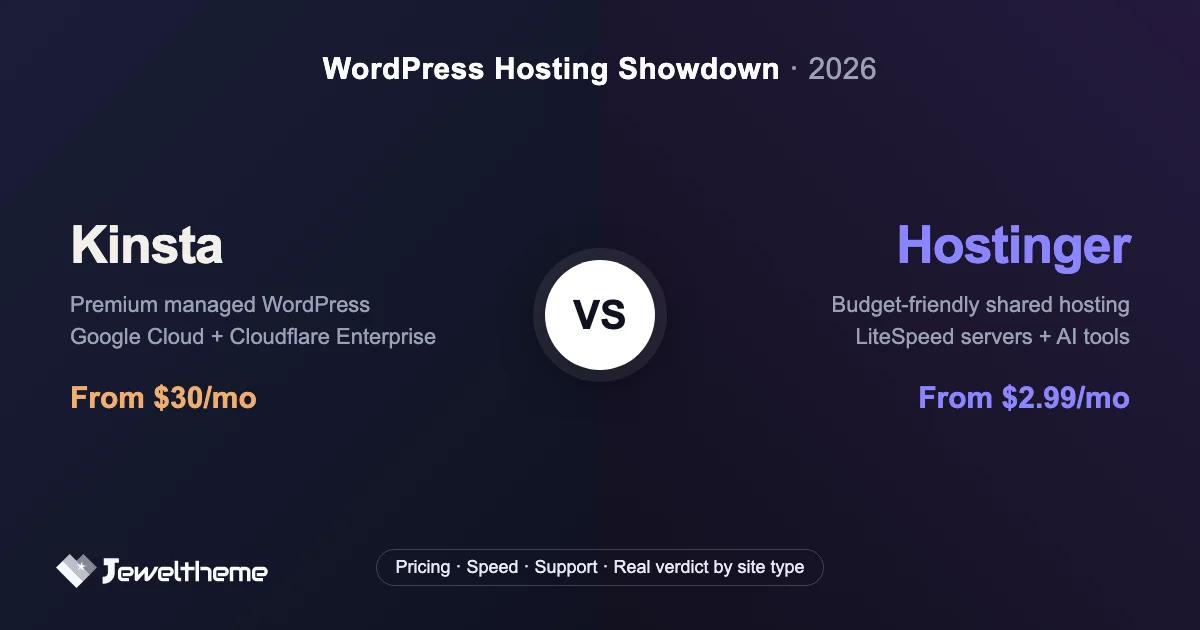

Kinsta vs Hostinger is really a $30-a-month question versus a $2.99-a-month question. If you've been comparing the two, that price gap is probably what stopped you. One host costs ten times more than the other, yet both promise fast, secure WordPress hosting. So is Kinsta overpriced, or is Hostinger cutting corners you'll regret later? Neither, exactly. They're built for different kinds of websites, and picking the wrong one costs you either money you didn't need to spend or performance you badly did. Below: real pricing (including the renewal rates the promo banners skip), speed data, support quality, and a straight verdict for each type of site owner.
Disclosure: this post contains affiliate links. If you buy through them, we may earn a commission at no extra cost to you. That hasn't changed the numbers or the verdicts below. Both hosts' weaknesses get covered as plainly as their strengths.
Quick verdict
Choose Kinsta if your website makes money. Business sites, WooCommerce stores, client work, anything where downtime and slow pages have a real cost. You're paying for Google Cloud infrastructure, engineer-level support, and a platform that stays fast under load. Choose Hostinger if you're starting out. A first website, a hobby blog, a small project on a tight budget. It's the best hosting you can get for under $5 a month.
| Kinsta | Hostinger | |
|---|---|---|
| Starting price | $30/mo (annual billing) | $2.99/mo (48-month term) |
| Renewal price | Same, no increase | Jumps to ~$10.99/mo |
| Hosting class | Managed WordPress (isolated containers) | Shared hosting (LiteSpeed) |
| Infrastructure | Google Cloud + Cloudflare Enterprise | Own servers, 8 global locations |
| Support | 24/7 chat with WordPress engineers | 24/7 chat, general front-line team |
| Best for | Business, WooCommerce, agencies | First sites, blogs, small budgets |
Two different product classes. That's the whole comparison
Most Kinsta vs Hostinger articles pretend these are two versions of the same product. They aren't, and the 10× price difference isn't margin. It's architecture.
Hostinger sells shared hosting: your site lives on a server alongside many others, sharing CPU, memory, and disk I/O. Hostinger does shared hosting about as well as it can be done. LiteSpeed Enterprise web servers, NVMe storage, and hPanel, a custom control panel that's more pleasant to use than cPanel. But the model has a ceiling: when a neighboring site gets hammered, or your own traffic spikes, you're competing for the same resources.
Kinsta sells managed WordPress hosting: every site runs in its own isolated container on Google Cloud's premium-tier C3D machines, orchestrated with Kubernetes. Nobody shares your resources. On top of that sits Cloudflare Enterprise (included, and that alone costs real money bought separately), edge caching, 20+ data center locations, and a platform team that only does WordPress.
So the honest question isn't which host is better. It's which product class your site needs. A hobby blog on Kinsta is overkill. A WooCommerce store that pays your rent sitting on shared hosting is a risk you'll eventually pay for, probably during your busiest sales day.
What is Kinsta?
Kinsta launched in 2013 as a managed-WordPress-only host and has stayed a specialist ever since. Everything about the platform assumes your site matters: unlimited free migrations, daily automatic backups with 14-day retention, one-click staging environments, a 99.99% uptime SLA, and MyKinsta, a custom dashboard that replaces cPanel with something much cleaner.
Two features deserve a closer look because competitors rarely match them. First, Kinsta APM: a free, built-in application performance monitoring tool that shows exactly which plugin, query, or external call is slowing your site. If you've ever debugged a sluggish WooCommerce checkout, you know that data usually costs $100+/month from New Relic. Second, support staffed only by WordPress engineers. There is no tier-1 script-reading layer. The person who answers your 2am chat can actually read a stack trace.
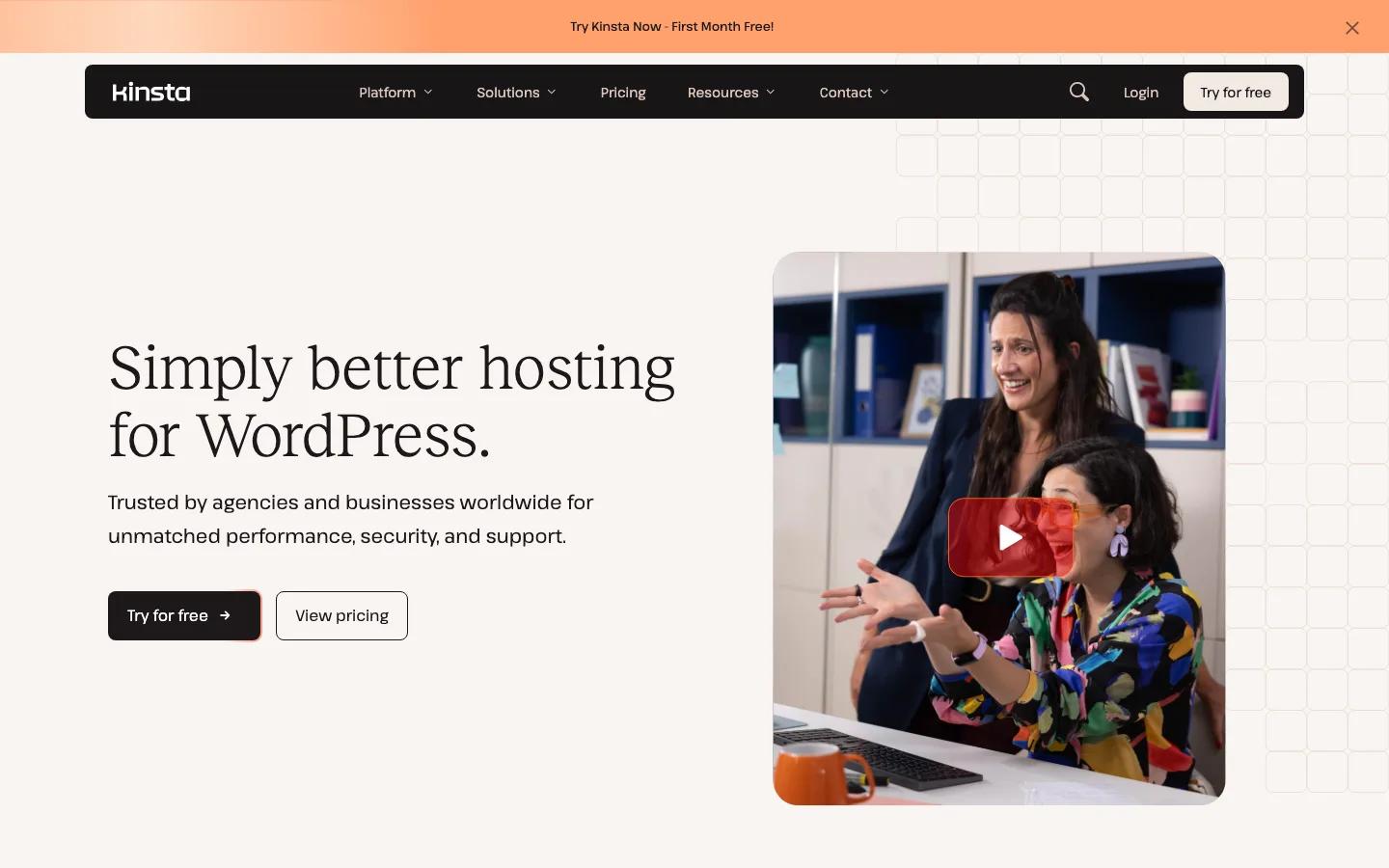
For agencies, the Business tiers add client billing transfer, team access roles, and per-site staging. Agency users reviewing the platform consistently estimate it saves 4–8 developer-hours per client per month, which at freelance rates pays for the hosting several times over. The current platform tour is on kinsta.com.
What is Hostinger?
Hostinger, founded in 2004 in Lithuania, grew into one of the world's largest hosts by optimizing one thing: value at the low end. Its WordPress plans run on LiteSpeed Enterprise servers, the fastest shared-hosting stack available, with the LSCache plugin preconfigured, free SSL, weekly backups (daily on higher tiers), a WordPress vulnerability scanner, and free email hosting, which Kinsta lacks entirely.
The hPanel dashboard is custom-built, easy for beginners, and now full of AI tools: an AI site builder, an AI content assistant, and guided WordPress setup that gets a first-timer from checkout to a live site in minutes. Trustpilot rates the company "Excellent" across 70,000+ reviews, and WordPress.org lists it among its recommended hosts.

The honest caveats: those headline prices require a 48-month commitment and jump at renewal (the math is below), support handles common issues well but thins out on complex WordPress problems, and shared resources mean performance varies with load in a way container hosting doesn't. None of that makes Hostinger a bad host. It makes it a budget host, and the best one in its class. Current promos are on hostinger.com.
Pricing: the real math, not the promo banner
Both hosts' pricing pages need translation. Here's what each actually costs (prices checked live, July 2026).
Kinsta pricing
Kinsta recently moved to bandwidth-based plans. The entry "Single 20GB" plan is $35/month, or $30/month on annual billing ($350/year). That buys one WordPress install, 20GB server bandwidth, 125GB CDN bandwidth, 10GB storage, unlimited free migrations, and 14-day backup retention. At the time of writing, Kinsta is running a first-month-free promo, so you can test the platform with a real site before the first bill. Multi-site plans start at $59/month, and agency plans at $284/month for client fleets.
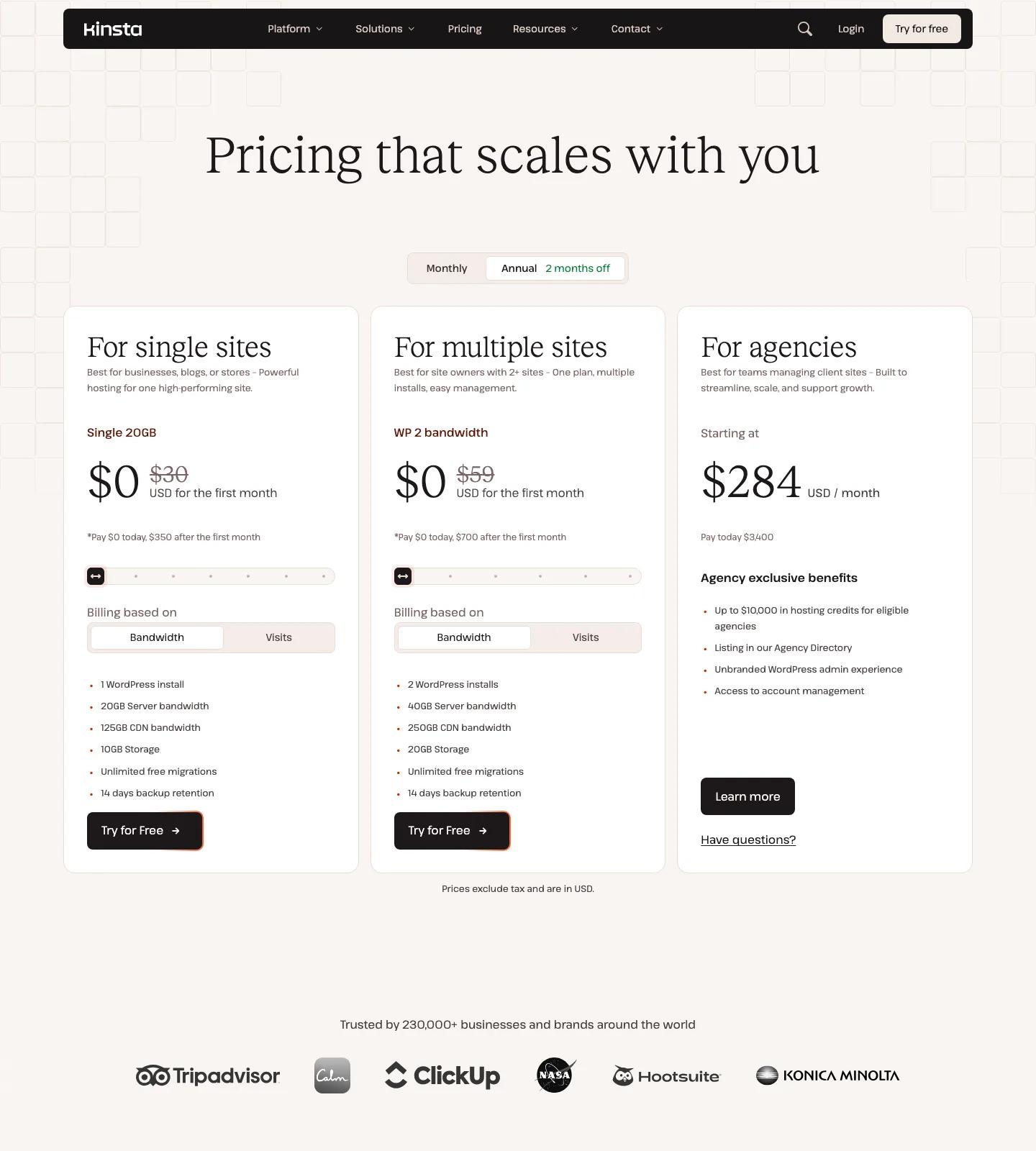
The part that gets overlooked: Kinsta's renewal price is the sign-up price. What you agree to is what you keep paying, year after year.
Hostinger pricing
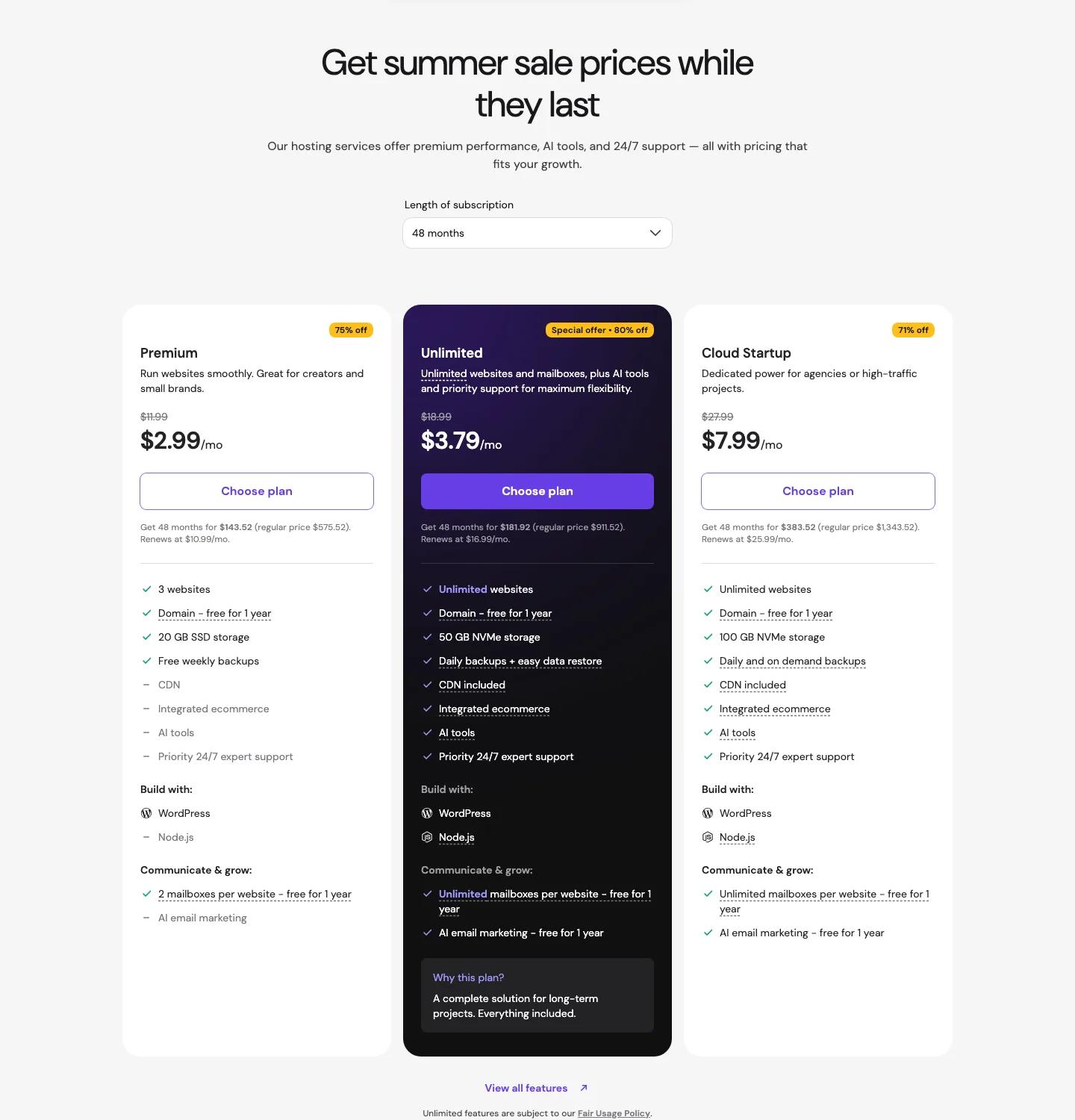
Hostinger's current summer-sale pricing: Premium at $2.99/month, Unlimited at $3.79/month, Cloud Startup at $7.99/month, all requiring the 48-month term to get those rates. The fine print under each plan states the renewal rate, and that's the number to plan around: $10.99, $16.99, and $25.99/month respectively when the promo term ends. Roughly 3–4× the promo price.
The 8-year math
Renewal jumps are the single most common Hostinger complaint in user reviews, so let's do what the promo banners won't:
| Cost over time | Hostinger Premium | Kinsta Single (annual) |
|---|---|---|
| First 4 years (promo term) | ~$144 ($2.99 × 48) | ~$1,400 |
| Next 4 years (renewal) | ~$528 ($10.99 × 48) | ~$1,400 |
| 8-year total | ~$672 | ~$2,800 |
Hostinger stays far cheaper. That's not in dispute, and pretending otherwise would be dishonest. The point of the table is different: Hostinger's real long-term cost is roughly 4× its advertised price, while Kinsta's is exactly its advertised price. Budget for the renewal number, not the banner number. As for what the $2,128 gap buys, the next two sections put numbers on it.
Performance: where the gap shows (and where it doesn't)
Independent 2026 testing puts the raw numbers like this: Kinsta full-page loads around 433ms versus Hostinger's 733ms in WebsitePlanet's comparison, with Kinsta holding sub-200ms TTFB on Google Cloud C3D machines and Hostinger delivering a respectable sub-500ms TTFB on LiteSpeed. Both exceed their 99.9% uptime guarantees in independent monitoring; Kinsta backs its with a 99.99% SLA.
Now the nuance most comparisons skip: on an idle brochure site, you may not feel the difference at all. Hostinger's LiteSpeed + LSCache stack serves cached pages fast. A five-page portfolio site with modest traffic will feel quick on either host.
The gap opens under load, in three specific situations:
- Concurrency. Cached pages are easy. Simultaneous logged-in users are not. WooCommerce carts, membership sites, and forums bypass page caching constantly, and that's when shared CPU shows and container isolation pays.
- Traffic spikes. A feature, a viral post, a sale. Kinsta's isolated resources and Cloudflare Enterprise edge absorb it. On shared hosting you're hoping the throttle doesn't kick in at the worst moment.
- Sustained load over time. Shared-hosting performance varies with your server neighbors. Container hosting is boringly consistent, which is exactly what you want when your site is your income.
If your site is in the first category (low-stakes, mostly cached), Hostinger's performance is honestly all you need. If it's in the second or third, the performance difference is the product.
Support: engineers vs front-line chat
Both hosts offer 24/7 chat. What differs is who answers.
Hostinger's team is fast and friendly, and for the questions a beginner actually asks (DNS setup, email configuration, "my site shows an error") it resolves things promptly. Reviews are broadly positive for its price class. But it's a general front-line team: complex WordPress problems get escalated, and escalation takes time.
Kinsta's support has no front line to get past. Every chat lands on a WordPress engineer who can read debug logs, trace a slow query, and tell you which plugin broke your checkout, often fixing it during the conversation. When it's 2am before a product launch and the site is down, this is the line item you'll be glad you paid for. It's also why Kinsta keeps winning support-quality comparisons against hosts twice its price.
Feature comparison: what actually matters
| Feature | Kinsta | Hostinger |
|---|---|---|
| Staging environments | One-click, all plans | Business/Cloud tiers only |
| Backups | Daily, 14-day retention | Weekly (daily on higher tiers) |
| Free migrations | Unlimited, done for you | Automated migrator tool |
| Performance monitoring (APM) | Built-in, free | None |
| CDN | Cloudflare Enterprise + edge caching | Standard CDN on most plans |
| Email hosting | None - needs Workspace/etc. | Free email accounts |
| Control panel | MyKinsta (pro-oriented) | hPanel (beginner-oriented) |
| AI site-building tools | None | Builder, content assistant |
| WordPress multisite | Yes | Premium and up |
| Uptime SLA | 99.99% | 99.9% guarantee |
Two honest Hostinger wins in that table: email hosting (Kinsta has none, so factor ~$6/user/month for Google Workspace into a Kinsta budget) and the AI onboarding tools, which lower the barrier for first-time site builders in a real way. Kinsta's wins (daily backups, APM, enterprise CDN, staging everywhere) are the ones that matter once a site has something to lose.
Who should choose Hostinger
Pick Hostinger without guilt if you're:
- Building your first website. $2.99/month beats $30/month every time when the site earns nothing yet. The AI tools and hPanel make setup genuinely easy.
- Running a hobby blog or portfolio. Mostly-cached, low-stakes traffic is exactly what LiteSpeed shared hosting handles well.
- Hosting many small, low-stakes sites. The Unlimited plan's per-site economics are unbeatable. Managed hosting for a dozen microsites is overkill.
- On a strict budget, period. Just budget for the renewal price (~$10.99/mo), not the promo price. Or set a reminder to renegotiate before the term ends.
Who should choose Kinsta
Pick Kinsta if your site clears one bar: it makes money, or it's supposed to. Specifically:
- Business sites that generate leads. A form that's down for six hours costs more than a year of the hosting difference. The support quality alone is the insurance policy.
- WooCommerce stores. Container isolation for checkout concurrency, edge caching for product pages, and APM for diagnosing the slow plugin that's killing conversions. This is Kinsta's home turf.
- Agencies and freelancers managing client sites. Client billing transfer, team roles, per-site staging, and white-label-friendly workflows. The 4–8 saved hours per client per month is the real price of the platform.
- High-traffic publishers. Predictable scaling with no shared-resource throttling when a post takes off.
With the first month currently free and unlimited free migrations, the switching cost is close to zero. Kinsta's team moves your site for you.
Frequently asked questions
Is Kinsta worth the price over Hostinger?
Yes, if your site produces revenue. Kinsta's isolated containers, engineer-only support, daily backups, and built-in APM directly protect income that shared hosting puts at risk. For a site earning nothing yet, no: Hostinger covers everything a starter site needs at a tenth of the cost.
Why is Kinsta so much more expensive than Hostinger?
Different architecture. Hostinger shares one server's resources across many customers. Kinsta gives every site an isolated container on Google Cloud's premium tier with Cloudflare Enterprise included. You're not paying 10× for the same thing; you're buying a different class of infrastructure, plus specialist support.
Does Hostinger raise prices at renewal?
Yes, substantially. Promo rates (from $2.99/month) apply to the first term only, usually 48 months, then renew at roughly 3–4×. The Premium plan renews at $10.99/month. It's the most common complaint in Hostinger reviews. Kinsta, by contrast, renews at the same price you signed up at.
Can I start on Hostinger and move to Kinsta later?
Yes, and it's a sensible path. Kinsta includes unlimited free migrations performed by its team, so graduating from Hostinger when your site starts earning costs nothing but a support ticket. Start cheap, upgrade when the site justifies it.
Which is better for WooCommerce?
Kinsta, clearly. WooCommerce traffic bypasses page caching (carts, checkouts, logged-in users), which is exactly where shared hosting struggles and container isolation shines. Add the free APM for diagnosing slow checkouts and staging for safely testing plugin updates, and it's not close for a store with real sales volume.
Final verdict: match the host to the stakes
Key takeaways:
- Kinsta and Hostinger aren't competitors in the same class. One is premium managed WordPress infrastructure; the other is the best budget shared hosting on the market.
- Hostinger wins on price even after its 3–4× renewal jump, but budget for the renewal number, not the banner number.
- Kinsta's price buys isolation, consistency under load, engineer-grade support, and tooling (APM, daily backups, staging) that matters once a site has revenue to protect.
- The two-step path is legitimate: start on Hostinger, migrate to Kinsta free when the site starts paying for itself.
If your WordPress site is already a business, or about to become one, start with Kinsta's first-month-free trial and let their team migrate a real site for you. That's the fastest way to feel the difference the numbers above describe.




Your email address will not be published