



Shoppers can't pick your product up, turn it over, or check the stitching. The gallery has to do that for them, which makes it the hardest-working block on a WooCommerce product page. Let someone zoom into the weave, swipe through the angles, watch thirty seconds of the thing being used, and see the actual shade of blue they selected, and most of the doubt is gone before they reach the add-to-cart button.
WooCommerce ships with a gallery, and on a store selling three simple products it's fine. It gets thin fast once you sell variable products or your margins rest on people trusting what they see. There's no video support, no variation-specific gallery, and no layout control worth the name, and the zoom and lightbox stay switched off until your theme asks for them.
What follows is six product gallery WooCommerce plugins, with install counts and ratings read straight off the WordPress.org plugin directory in August 2026, so you can judge what you're installing instead of taking a marketing page's word for it.
What the default WooCommerce gallery does not do
Worth knowing before you shop, because a couple of the things people install plugins for are already sitting in core, switched off.
The core gallery is built on FlexSlider, PhotoSwipe, and jQuery Zoom. Those give you the slider, the lightbox, and the hover zoom. Since WooCommerce 3.3 they stay dormant unless the active theme declares support for them:
add_theme_support( 'wc-product-gallery-zoom' );
add_theme_support( 'wc-product-gallery-lightbox' );
add_theme_support( 'wc-product-gallery-slider' );
Plenty of themes declare none of these and substitute their own gallery scripts instead, which is the usual reason zoom "stops working" after a theme switch. It never started.
What core can't do at any setting:
- Show a different set of images when a shopper picks a different variation. Core allows exactly one image per variation.
- Put a video inside the gallery alongside the photos.
- Move the thumbnails to the left or right, or turn them into their own slider.
- Give you any control over zoom style, lightbox behaviour, or transitions.
Those four gaps are what the plugins below exist to fill.
1. WPBean AI Product Gallery Slider
Best overall WooCommerce product gallery plugin

WPBean AI Product Gallery Slider is the closest thing on this list to a full replacement for the WooCommerce gallery. Rather than bolting a slider onto what core already renders, it swaps the whole gallery out for its own layout system.
The practical argument for it is plugin count. A store that wants zoom, a thumbnail slider, a lightbox, product videos, and variation galleries usually ends up running three or four separate plugins, each with its own settings screen, its own scripts, and its own opinion about what the gallery markup should look like. They fight. This one does all five.
On WordPress.org in August 2026 it sits at 1,000+ active installs and 4.3 out of 5 from 26 ratings, on version 3.0.1, tested up to WooCommerce 7.0.4. Youngest plugin in this comparison, and the one being touched most often.
Key features
- 14+ gallery layouts including classic slider, left and right thumbnails, grid, vertical scroll, sticky split, and tiles
- Three zoom modes: inner and hover in the free version, lens and window zoom in Pro
- Full-screen lightbox with an image toolbar, plus rotate, flip, and 1:1 scaling in Pro
- Product video gallery supporting YouTube, Vimeo, and self-hosted files
- Unlimited additional images per product variation
- Vertical and horizontal thumbnail sliders, with thumbnail position on any of the four sides
- An AI gallery assistant that builds a layout from a text prompt or a reference image, working with OpenAI, Claude, Gemini, or MiMo
- Per-product and per-category layout assignment, so your furniture category can look different from your jewellery category
- 12+ quick-start presets, drag-and-drop image sorting, touch navigation on mobile
Why choose it
The per-category layout control is the feature you won't find elsewhere on this list, and it matters more than it sounds. A shoe needs four angles in a horizontal strip. A rug needs one enormous image with deep zoom. A gadget needs the unboxing video first. Stores that sell across categories normally compromise on one gallery for everything.
The AI builder earns its place at setup rather than sitting there as a checkbox feature. You describe the gallery you want, you get a configured layout back, and you skip the twenty minutes of toggling that these plugins normally ask for up front.
Worth a look if you sell fashion, electronics, furniture and homeware, or jewellery, or anything else where the photos are doing the selling.
2. Reno Product Gallery (formerly WooGallery) by ShapedPlugin
Best free WooCommerce gallery slider plugin

ShapedPlugin renamed WooGallery to Reno Product Gallery, so if you've been searching the directory for the old name and coming up empty, that's why. It's the highest-rated plugin in this comparison and one of the most polished.
It converts the default gallery into a slider with a thumbnail strip, adds lightbox and zoom on top, and handles product video in the free tier. The free version is generous enough that a lot of stores never upgrade.
It's on 20,000+ active installs with 4.9 out of 5 from 161 ratings as of August 2026, running version 3.2.0 and tested up to WooCommerce 7.0.4. Nothing else here comes close on rating.
Features
- Product gallery slider with thumbnail navigation
- Additional variation images gallery
- Product video gallery, plus video on shop archive pages in Pro
- Product image lightbox and zoom
- Responsive layouts with touch-friendly navigation
- Works with WooCommerce blocks and classic templates
The pick if you want a well-supported slider with variation and video handling for nothing, and one gallery style across the whole catalogue suits you fine.
3. Product Gallery Slider, Additional Variation Images by Codeixer
Best WooCommerce gallery slider plugin for simple stores
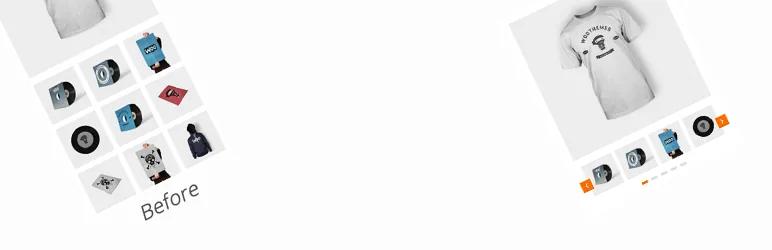
Niloy at Codeixer has been maintaining this one since 2015, which on the WordPress plugin directory counts for a lot. It does one job: turn the default gallery into a clean carousel with working thumbnails, and support variation images while it's there.
There's no layout gallery to browse and no AI anything. You install it, the product page looks better, you move on. For a store with 40 simple products that's often exactly the right amount of plugin.
As of August 2026: 20,000+ active installs, 4.6 out of 5 from 160 ratings, version 2.3.23, tested up to WooCommerce 7.0.4.
Features
- Responsive product image carousel
- Thumbnail navigation with configurable count
- Additional variation images
- Touch and swipe support
- Straightforward WooCommerce integration with no template editing
Good fit for smaller catalogues, and for anyone who wants the slider fixed without inheriting a settings panel to maintain.
4. YITH WooCommerce Product Gallery & Image Zoom
Best WooCommerce product zoom plugin

Formerly YITH WooCommerce Zoom Magnifier, this is the specialist option. Zoom is what it does, and it does it with more control than the general-purpose gallery plugins offer: magnifier size, lens shape, zoom window position, and behaviour on mobile.
YITH has been building WooCommerce extensions for over a decade, so compatibility is rarely the problem. The 3.6 rating is worth reading the reviews behind. Most of the low scores are about upsell prompts and theme conflicts rather than the zoom itself failing.
The August 2026 numbers: 20,000+ active installs, 3.6 out of 5 from 71 ratings, version 2.52.1, tested up to WooCommerce 7.0.4.
Features
- Magnifier and lens zoom on product images
- Configurable zoom window size and position
- Image slider with thumbnail carousel
- Lightbox for enlarged viewing
- Mobile behaviour settings, including the option to disable zoom on touch devices
One caveat: zoom only looks good if your uploaded images are substantially larger than the display size. Uploading 800px images and expecting a useful zoom will disappoint you regardless of which plugin you pick. That means bigger files, more of them, and a media library that grows fast. If yours is already past the point where scrolling to find a photo is painful, WP Adminify's guide to managing a large WordPress media library deals with catalogues in the 10,000-file range.
Made for jewellery, textiles, watches and electronics, or anywhere the sale hinges on a detail the customer wants to inspect first.
5. Additional Variation Images Gallery for WooCommerce by Emran Ahmed
Best for WooCommerce variable products
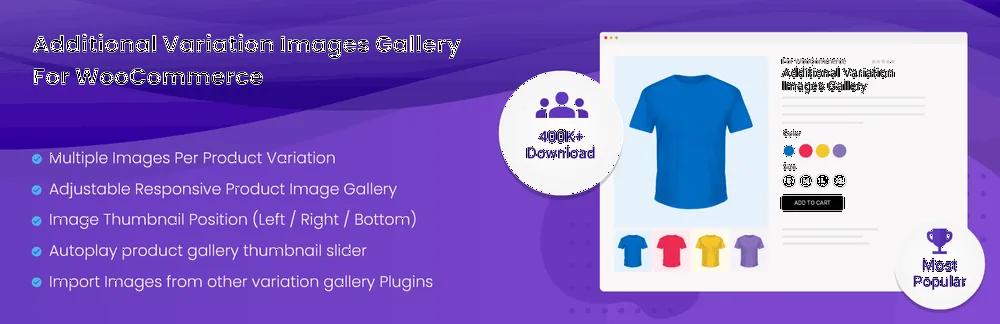
Core WooCommerce gives each variation one image. Sell a t-shirt in five colours where each colour deserves four photos and core hands you five photos total, with no way around it. This plugin lifts that ceiling and does nothing else, which is roughly why 20,000 sites run it.
Emran Ahmed also maintains Variation Swatches for WooCommerce, which runs on 300,000 sites, and the two are built to work together. The swatches handle picking a variation, this handles showing it.
August 2026 on WordPress.org: 20,000+ active installs, 4.6 out of 5 from 160 ratings, version 1.3.32, tested up to WooCommerce 7.0.4.
Features
- Unlimited images per product variation
- Thumbnail position control: left, right, or bottom
- Autoplay thumbnail slider
- Adjustable responsive gallery sizing
- Import tool that pulls existing variation images across from other variation gallery plugins
That import tool deserves a mention. Migrating variation images between plugins is normally a manual re-upload across every variation, and on a 200-SKU catalogue that's a lost weekend.
Aimed at fashion, footwear, cosmetics, furniture sold in several finishes, and any catalogue built mostly out of variable products.
6. TP WooCommerce Product Gallery by TPlugins
Best lightweight product gallery option
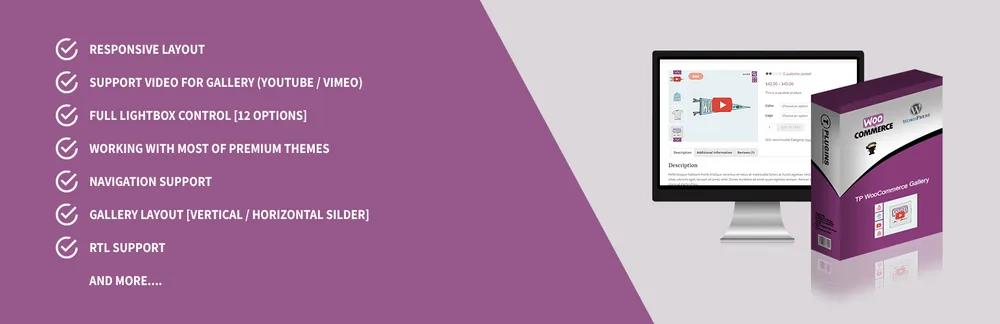
The smallest plugin here in every sense. You get a horizontal slider, autoplay, and a responsive layout, and that's where it stops. Video and zoom are absent, and variation handling barely registers.
Its case is weight. If your store runs on a modest host and your Largest Contentful Paint is already borderline, a gallery plugin that adds a few kilobytes instead of a few hundred is a defensible trade. Worth being honest about which half of that equation is actually hurting you, though. A cheap shared plan will bottleneck a product page long before the gallery script does, and the Kinsta vs Hostinger comparison is a decent read if you suspect the host is the real problem.
In August 2026 it showed 1,000+ active installs, 3.8 out of 5 from 26 ratings, version 2.0.3, tested up to WooCommerce 7.0.0. That last figure trails the rest of this list by a minor version, so check it against whatever WooCommerce build you're on.
Features
- Horizontal product gallery slider with autoplay
- Responsive image display
- Thumbnail navigation
- Light footprint on the product page
Sensible on a small store running shared hosting where the slider is the only thing you actually want.
WooCommerce product gallery plugin comparison
| Plugin | Best for | Zoom | Video | Lightbox | Variation images | Slider | Active installs | Rating |
|---|---|---|---|---|---|---|---|---|
| WPBean AI Product Gallery Slider | Complete gallery replacement | Yes | Yes | Yes | Yes | Yes | 1,000+ | 4.3 / 5 |
| Reno Product Gallery (WooGallery) | Free all-rounder | Yes | Yes | Yes | Yes | Yes | 20,000+ | 4.9 / 5 |
| Codeixer Product Gallery Slider | Simple stores | Yes | No | Yes | Yes | Yes | 20,000+ | 4.6 / 5 |
| YITH Product Gallery & Image Zoom | Image zoom | Yes | No | Yes | No | Yes | 20,000+ | 3.6 / 5 |
| Additional Variation Images Gallery | Variable products | Yes | No | Yes | Yes | Yes | 20,000+ | 4.6 / 5 |
| TP WooCommerce Product Gallery | Lightweight slider | No | No | No | Limited | Yes | 1,000+ | 3.8 / 5 |
Install counts and ratings were read from the WordPress.org plugin API on 13 August 2026. Feature columns reflect free versions unless the plugin markets the feature as free, since several vendors gate the more advanced variants of each feature behind Pro.
Before you install: the images and the admin around them
Every plugin above assumes you hand it good images. None of them rescues a gallery fed with 900px JPEGs called IMG_4471.jpg, and the day you install a zoom plugin is a bad day to discover your product photography has no rules behind it.
A couple of things are worth sorting out alongside the plugin choice.
Start with the files. Serve WebP, upload at a size the zoom can actually use, and keep filenames and alt text descriptive, since product images pull real traffic out of image search for stores. WP Adminify's WordPress media library best practices covers naming, sizing, and alt text. Read the guide to cleaning up a media library safely before you delete anything, because orphaned product images are easy to bin by accident and painful to get back.
Then there's finding them again. A 300-product catalogue is a few thousand files sitting in one flat grid, which is fine right up to the afternoon you need last season's blue variant shots and a client is waiting. Folders fix more of that than any other single change, and WordPress media folders work across post types, WooCommerce products included, so a folder per collection or per supplier becomes a real option.
The admin side is the bit people skip. You'll be checking these galleries logged in, on a real phone, again and again while you tune thumbnail positions and zoom behaviour, and the WordPress admin bar sits across the top of every one of those page loads. On a narrow screen it covers exactly the strip of viewport where your gallery arrows live, and a sticky or full-screen gallery layout will cheerfully render underneath it. Admin Bar Editor is the simplest fix I've found. It's free on WordPress.org, it hides or shows individual toolbar items, it turns the bar off entirely for chosen roles or usernames, and it lets you drag what's left into an order that suits you. Drop in a custom link straight to your WooCommerce products list while you're in there and the edit, preview, tweak loop gets noticeably shorter.
The role-based control matters for stores in particular. Customers with accounts get the admin bar on the frontend too, which is an odd thing to show someone who came to buy a jumper. Hide it for the customer and subscriber roles, keep it for yourself, done. The complete guide to customizing the WordPress admin bar has the longer version if you want it.
Which WooCommerce product gallery plugin should you choose?
Work backwards from what your products need shoppers to see.
If you just want the default gallery to stop looking broken, take Codeixer's plugin or Reno Product Gallery. Both free, both carrying 20,000 installs and years of maintenance, and neither one makes you learn a settings system first.
Variable products are the fork in the road. Someone who picks "navy" should be looking at navy photos, and that needs variation gallery support, where Additional Variation Images Gallery is the specialist. Pair it with a swatches plugin and the product page starts behaving like a storefront instead of a spec sheet.
Where detail closes the sale, fabric, grain, gemstones, ports and connectors, you need proper zoom, so look at YITH's plugin or an all-in-one with a strong zoom implementation. Upload at 1,500px or more on the long edge, otherwise the zoom has nothing to reveal.
Products that need demonstrating are a different case again. Anything that moves, folds, assembles, or has a texture a still photo can't carry wants video inside the gallery, and that narrows this list to WPBean and Reno.
And if you need several of the above, this is where stacking single-purpose plugins gets expensive. Four gallery plugins means four sets of scripts on the same product page, four update cycles, and a support conversation where nobody wants to own the bug. The same arithmetic applies across the whole admin, which is the argument behind replacing a pile of small WordPress plugins with one. On the gallery side, WPBean AI Product Gallery Slider exists for this case specifically, and the per-category layouts mean a mixed catalogue doesn't have to settle on one compromise gallery.
Whichever you install, test on a real phone before you call it done. Most gallery bugs live in the gap between the desktop preview and a thumb on a 390px screen.
Frequently asked questions
What is the best WooCommerce product gallery plugin?
For a store that needs slider, zoom, lightbox, video, and variation galleries together, WPBean AI Product Gallery Slider covers all five in one plugin. For a free option with the strongest track record, Reno Product Gallery holds a 4.9 rating across 161 reviews on 20,000+ sites. The honest answer depends on whether you need one gallery feature or five.
Do I need separate WooCommerce plugins for zoom and the gallery slider?
No, and you should avoid it where you can. Each gallery plugin replaces or wraps the same WooCommerce template, so running two together frequently produces duplicate thumbnails, dead zoom, or a slider that won't initialise. Pick one plugin that covers everything you need.
Which WooCommerce gallery plugin is best for variable products?
Additional Variation Images Gallery for WooCommerce is the dedicated tool, with unlimited images per variation and an importer for moving existing variation images across from other plugins. WPBean AI Product Gallery Slider and Reno Product Gallery both include variation galleries as part of a wider feature set.
Why is zoom or lightbox not working on my product pages?
Almost always theme support. Since WooCommerce 3.3, zoom, lightbox, and slider stay off unless the theme calls add_theme_support() for each one, and many themes deliberately skip them to run their own gallery instead. The second most common cause is two gallery plugins competing over the same template. Deactivate everything but WooCommerce, confirm the gallery works, then reactivate one plugin at a time.
Do gallery plugins slow down a WooCommerce store?
They add JavaScript and CSS to the product page, so some cost is unavoidable. The bigger risk is stacking three or four of them. One well-built gallery plugin loading a single script set beats four single-purpose plugins loading four. Oversized image files hurt Largest Contentful Paint far more than the plugin does, so serve WebP and set sensible dimensions before you blame the gallery.
Does WooCommerce need a better product gallery?
If you sell simple products with two or three photos each, the core gallery with theme support enabled is adequate. If you sell variations, need video, or compete on product presentation, core runs out fast. The gallery is the part of the page shoppers spend the most time on, which makes it a reasonable place to spend effort.



Your email address will not be published